Reporting & Live Dashboard

Inspection to prediction.

CCM connects inspection findings, component images, liner measurements and drain oil trends in all in one platform.

01 / 05Capture

AI-assisted recording

AI-assisted recording screen

Scavenge inspections recorded in minutes, on desktop or mobile.

  • Simple recording interface via desktop or directly on the mobile app
  • Dropdowns for component condition keep data consistent across vessels
  • Sample images guide crew to capture the same view every time
  • Automatic image compression for low-bandwidth ship connections
  • Component condition detection powered by AI
01 · Capture

AI-assisted recording

Scavenge inspections recorded in minutes, on desktop or mobile.
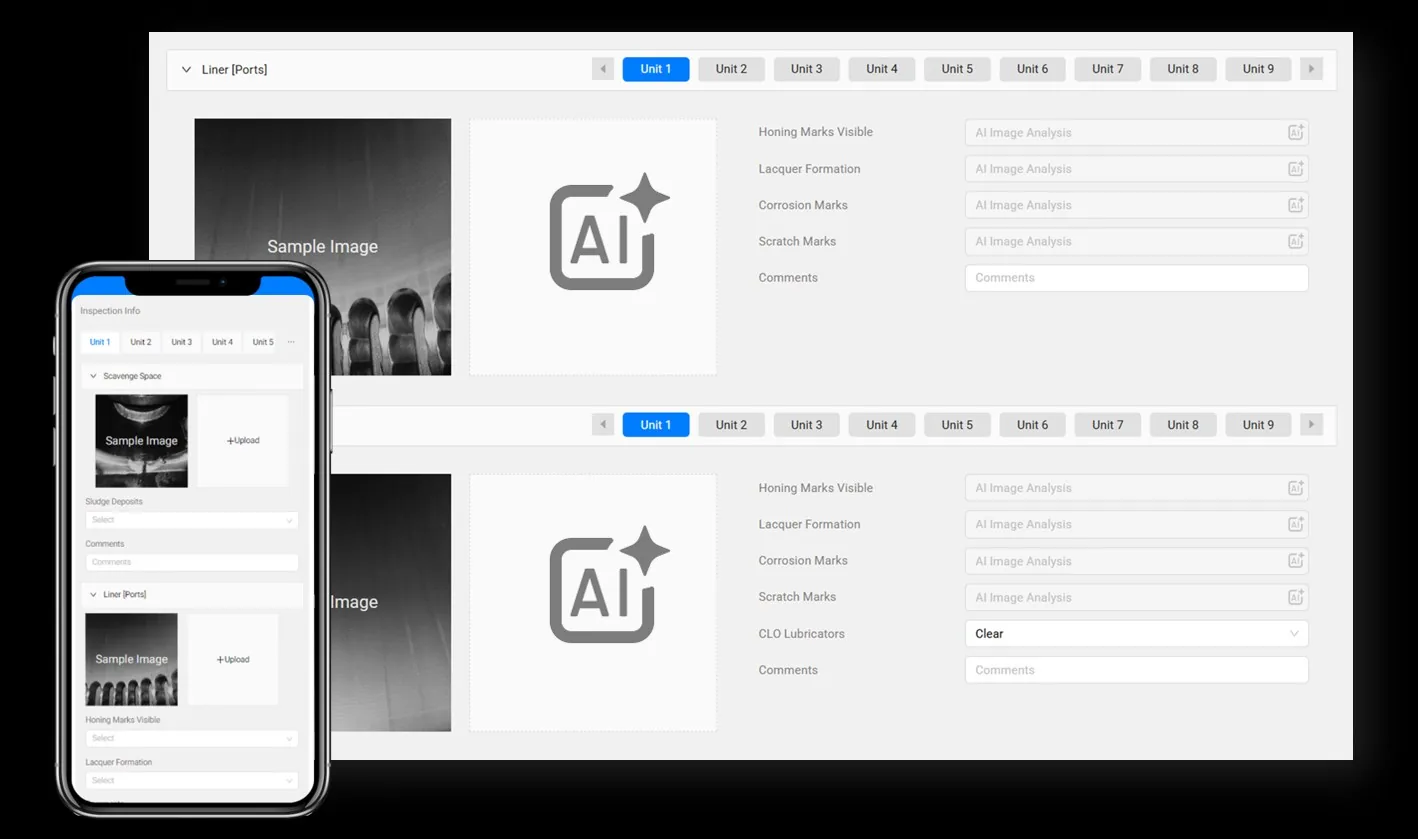
AI-assisted recording screen
  • Simple recording interface via desktop or directly on the mobile app
  • Dropdowns for component condition keep data consistent across vessels
  • Sample images guide crew to capture the same view every time
  • Automatic image compression for low-bandwidth ship connections
  • Component condition detection powered by AI
02 · Capture

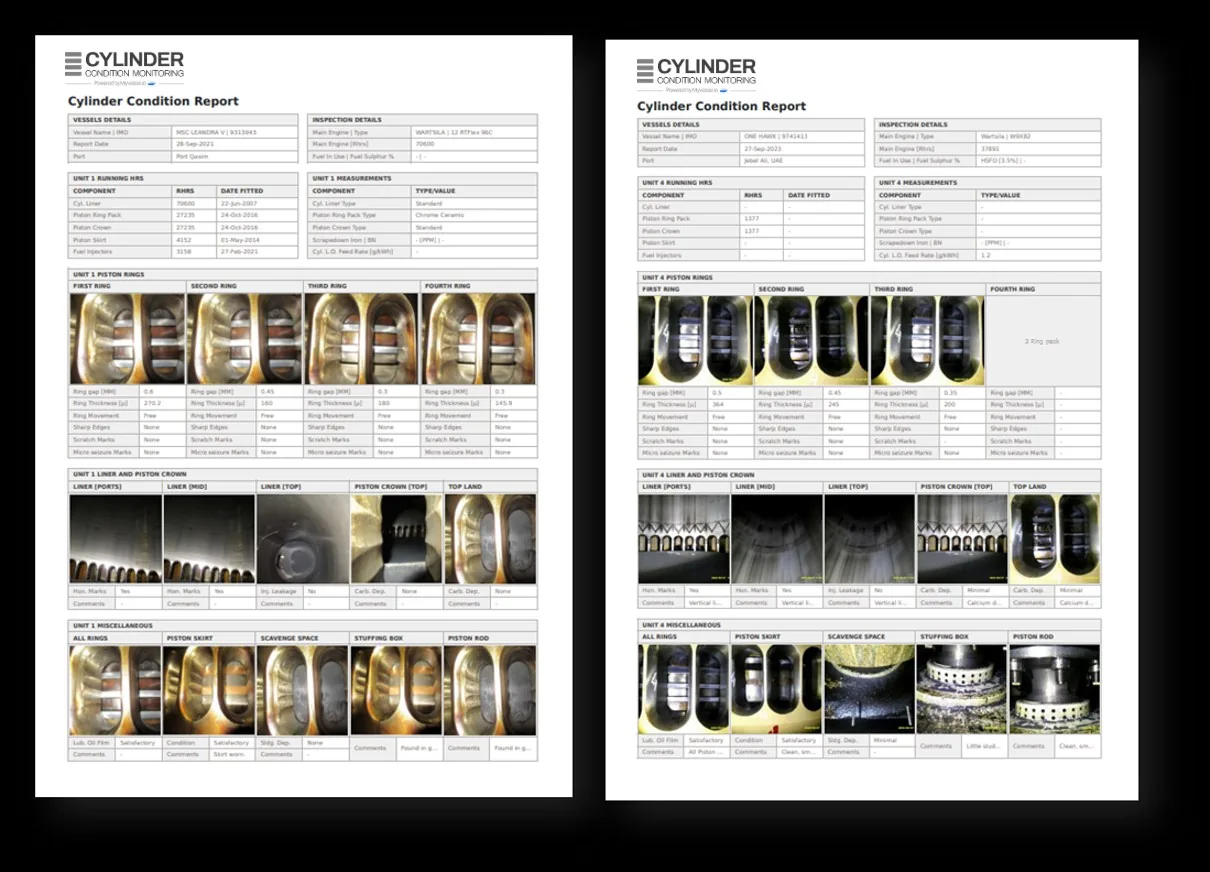
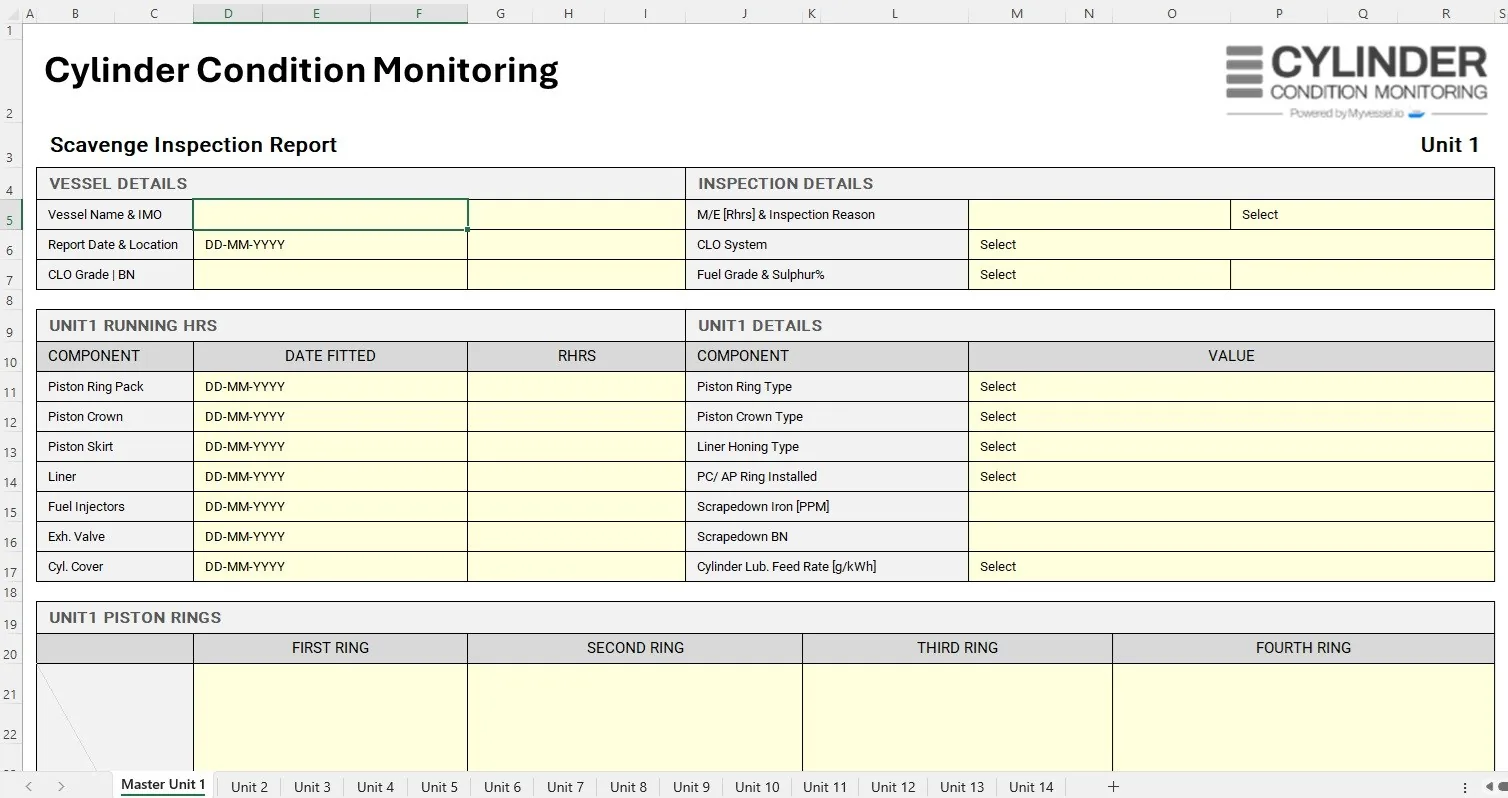
PDF & Excel reporting

Complete reports for every unit, and a path in for every ship.

PDF & Excel reporting screen
  • Text and images of all units in one PDF: a complete overview of the main engine
  • Customised to engine and piston types
  • Excel auto-import for vessels with internet or IT restrictions
  • Crew fill the sheet, email it, and it appears on the vessel dashboard
03 · Monitor

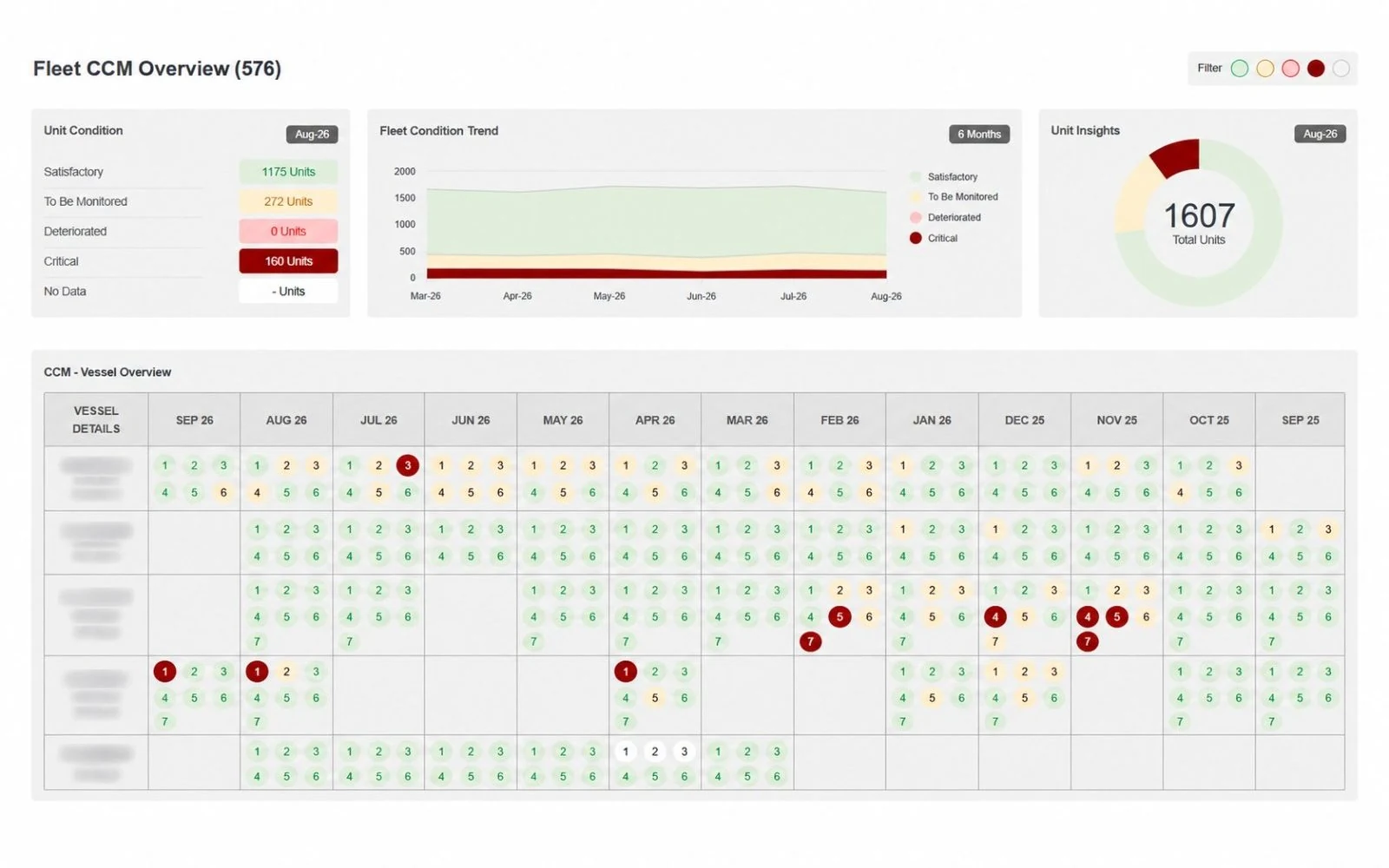
Fleet overview

Unit health for entire fleet in one view.

Fleet overview screen
  • Fleet-wide unit health snapshot
  • Colour-coded condition indicators
  • Interactive feedback pop-ups for each unit
  • Easily spot deteriorating units or inconsistent data
04 · Monitor

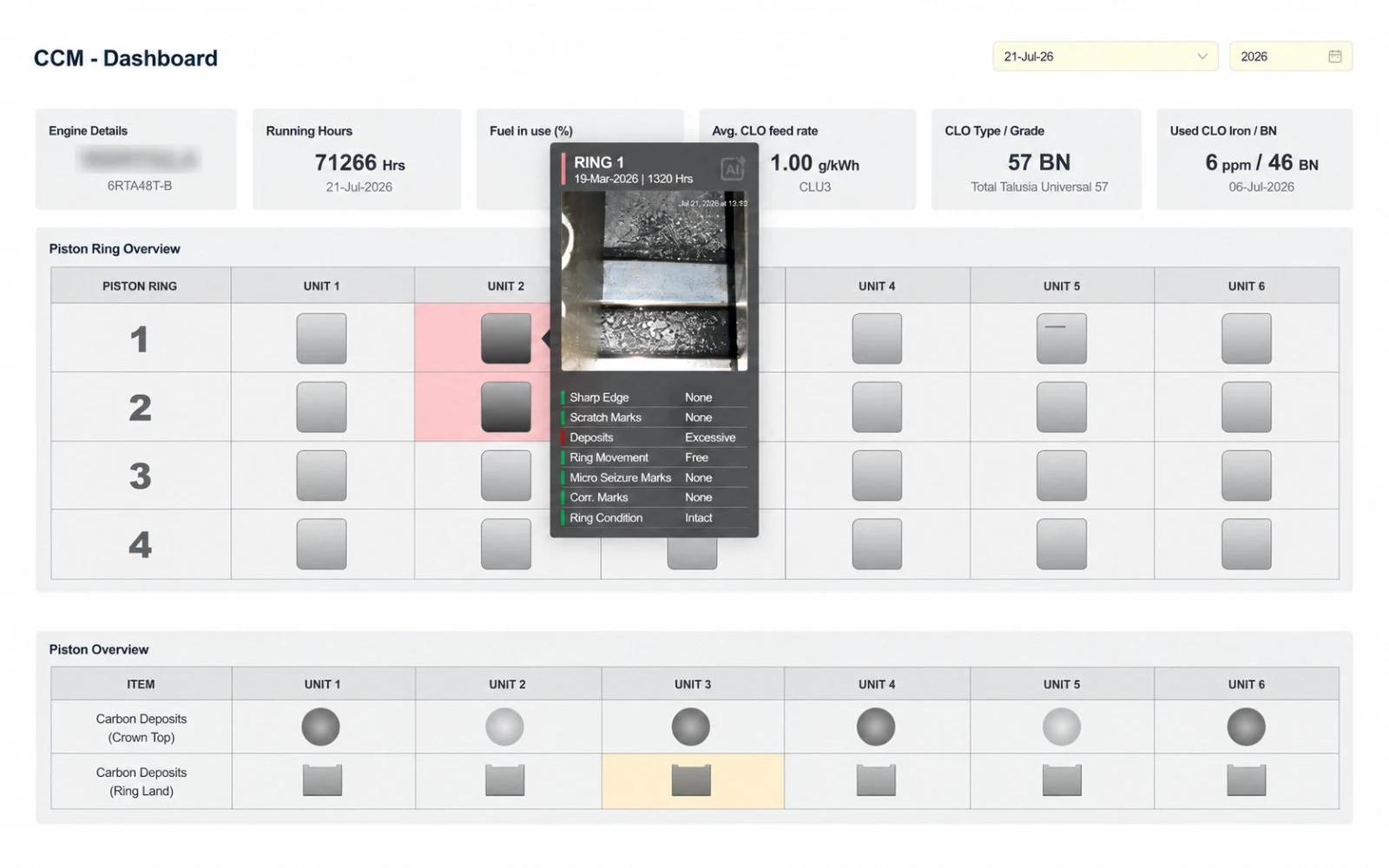
Engine dashboard

Every unit, every component, compared with the previous reports.

Engine dashboard screen
  • Condition of all units in one simple table
  • Positive and negative changes highlighted
  • Non-critical items stay out of the way
  • Hover for context; click for full component history
05 · Monitor

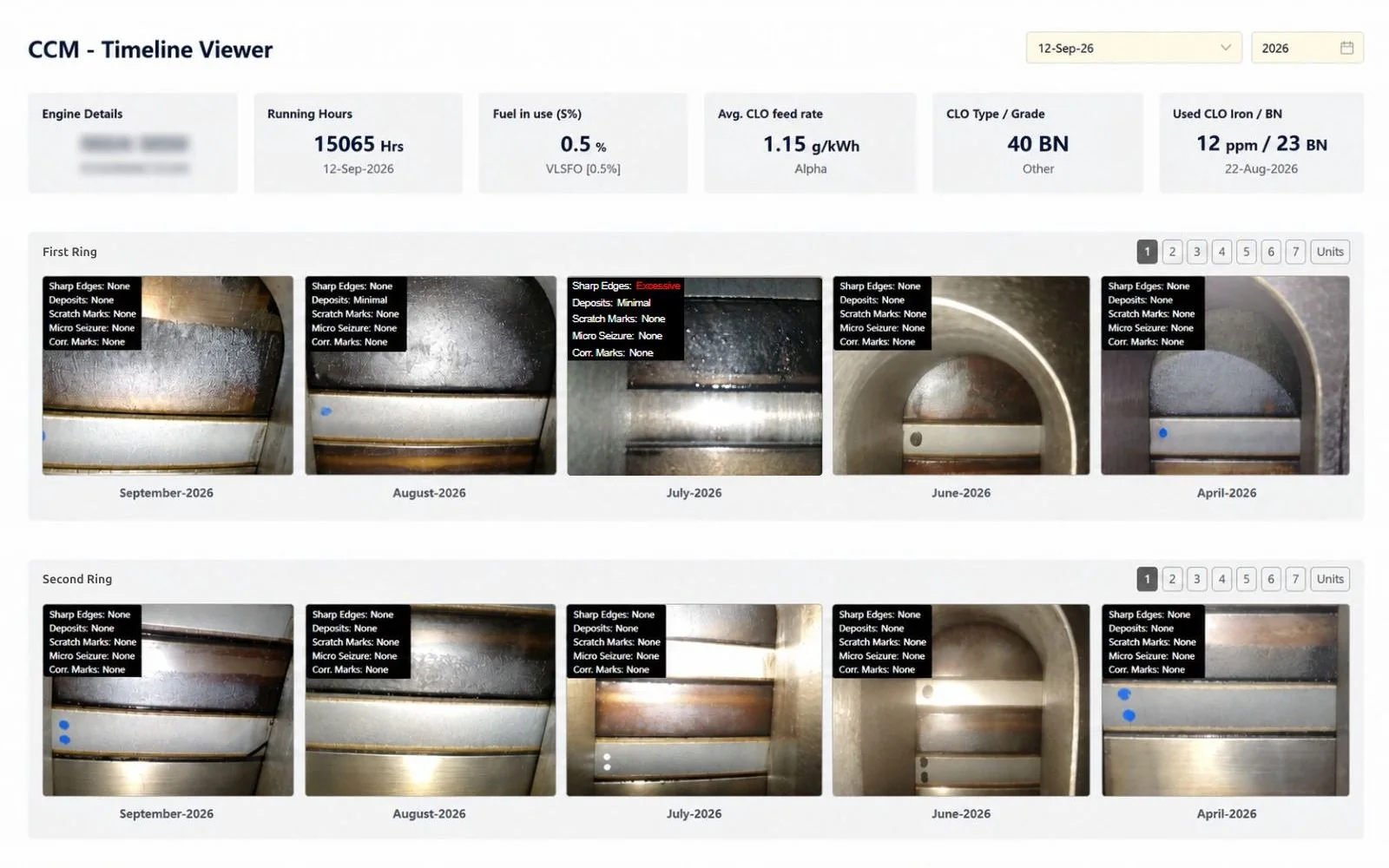
Image timeline

The same component, month after month, side by side.

Image timeline screen
  • Historical image timeline for every unit and component
  • Compare timelines across components and units
  • Click any image to open the full component record
06–10 · 5 more modules

Want to see more?

There is more to Cylinder Condition Monitoring. Contact us and we will walk you through the rest of the platform.

Contact us